|
SamLogic |
|
CD-Menu Creator |
|
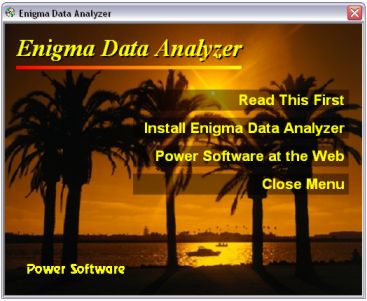
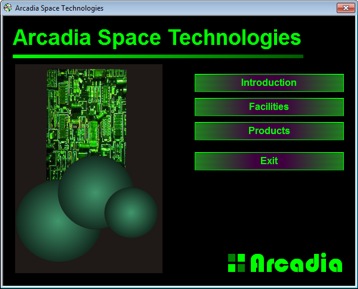
With SamLogic CD-Menu
Creator you can create impressive autorun menus for CD, DVD
and USB flash drives without any programming and in no time at all.
From a created menu you can run installation programs, launch applications,
show documents, play movies, open Internet pages etc. |
 |
| |
 |
|
|
|
Create impressive autorun menus for CD, DVD and USB flash
drives
SamLogic CD-Menu
Creator is an easy-to-use tool that you can use to create
autorun menus for CD, DVD and USB flash drives (USB sticks). From
a menu you can start installation programs, launch applications,
open documents, play movies, open web pages, view picture
gallerys etc. The menu uses
the AutoRun technology in Windows to automatically open the menu
when the CD/DVD is inserted in the drive or the USB flash drive
plugged in the USB port.
A menu created with SamLogic CD-Menu Creator can contain
images, animations, movies, sound effects, music and more. You can
also create buttons with a lot of different styles and various
effects; for example glass effects, 3D effects and shadows. You can also connect
a sound file
to a button in the menu, so for example if a user hoovers the mouse
pointer above the button you can let a speaker voice read the button
text. Or you can let a button play a click sound when somebody
clicks on the button.
Autorun menus created with
SamLogic CD-Menu Creator can be shown in different languages. When inserting a disc or plugging a USB
flash drive, SamLogic CD-Menu Creator will examine which
language Windows is using and then show the same language in
the menu.
SamLogic CD-Menu Creator can also be used to distribute
encrypted and password protected information.
>
Click here to get more information about SamLogic CD-Menu
Creator |
|
|
|

